Cloud Virtualization & Containers
1. what is Cloud Virtualization & Containers?
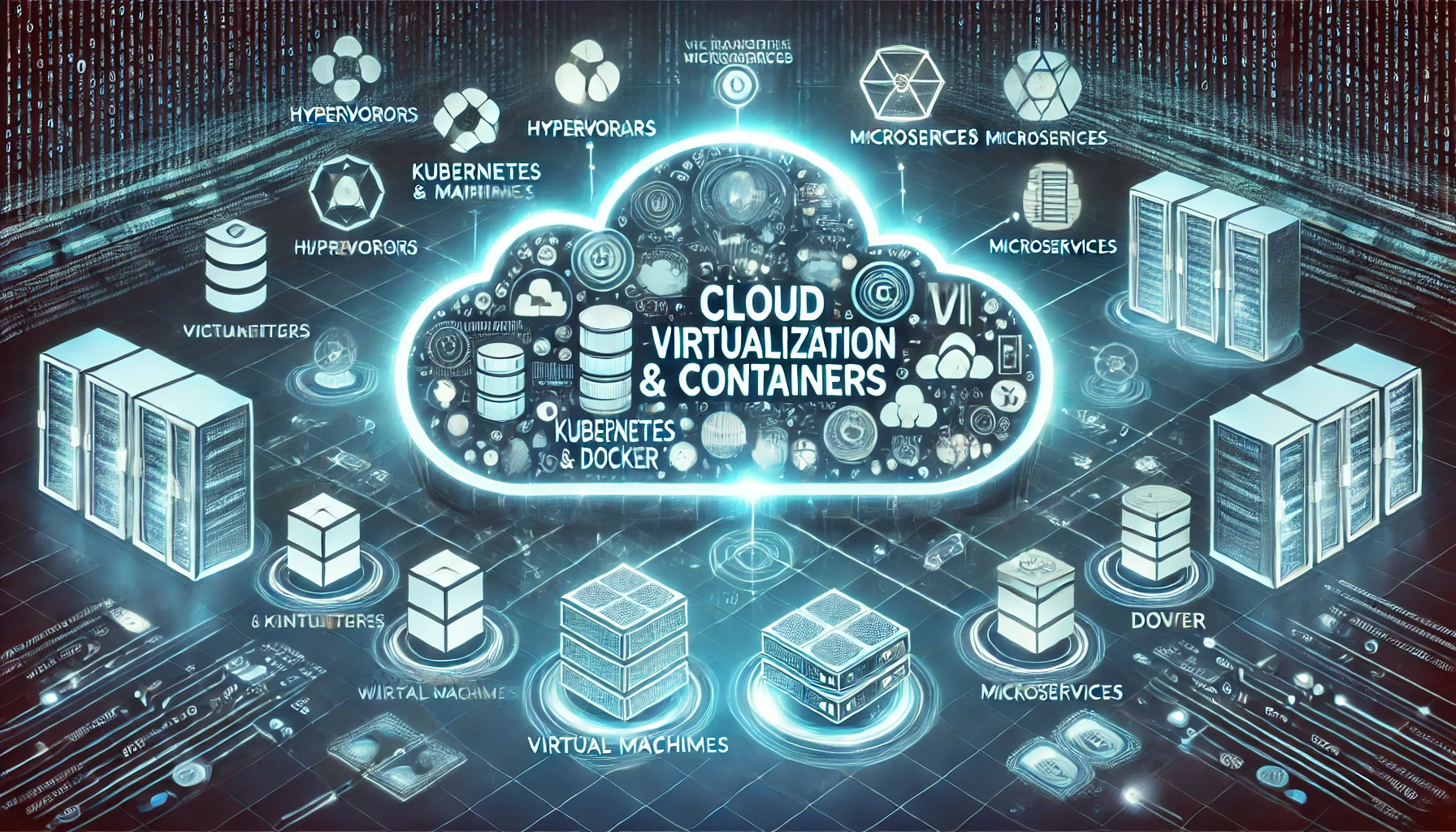
Cloud Virtualization & Containers is a technology that allows multiple virtual instances of servers, storage, networks, or applications to run on a single physical infrastructure. It enables cloud providers to maximize hardware usage, improve scalability, and reduce costs by allowing multiple virtual machines (VMs) to share the same physical resources. Each VM operates as an independent system with its own operating system and applications, providing flexibility and isolation between workloads. Virtualization is the foundation of Infrastructure as a Service (IaaS), allowing users to deploy and manage virtual servers without owning physical hardware. This technology enhances resource optimization, disaster recovery, and easier system scaling for businesses in the cloud.
Containers, on the other hand, are lightweight, portable, and self-contained environments that package an application and all its dependencies. Unlike virtual machines, which include a full operating system, containers share the host system’s OS kernel, making them faster and more efficient. Containers are ideal for Platform as a Service (PaaS) environments and microservices architectures, as they allow developers to build, deploy, and scale applications consistently across different cloud platforms. Tools like Docker and Kubernetes are widely used for container orchestration, ensuring that containers can be managed, scaled, and updated seamlessly while maintaining consistency.
The combination of cloud virtualization and containers provides a powerful infrastructure for modern cloud computing. Virtualization supports running multiple operating systems on a single server, while containers allow applications to be deployed quickly and reliably across different environments. Together, they enhance cloud efficiency by improving resource utilization, reducing overhead, and simplifying software deployment. As organizations adopt hybrid and multi-cloud strategies, virtualization and containers play a crucial role in ensuring applications remain flexible, scalable, and secure across diverse cloud ecosystems.
2.Virtual Machines (VMs)
Virtual Machines (VMs) are software-based simulations of physical computers that run applications and operating systems in isolated environments. Each VM operates independently, with its own virtual CPU, memory, storage, and network interface, while sharing the physical resources of the host machine. This allows multiple VMs to run on a single physical server, maximizing hardware utilization and reducing operational costs. Virtualization technology enables the creation of VMs, with hypervisors like VMware, Microsoft Hyper-V, and KVM managing and allocating resources between them. VMs are widely used in cloud computing to provide Infrastructure as a Service (IaaS), allowing businesses to deploy and manage applications without needing physical hardware.
One key advantage of VMs is their ability to run different operating systems on the same physical server. For example, a Windows VM can run alongside a Linux VM on a shared infrastructure, providing flexibility and compatibility for various workloads. VMs are also used for testing and development because they can be easily cloned, modified, and restored without impacting the underlying hardware. This isolation also enhances security, as any issues or vulnerabilities in one VM do not affect others on the same system. Additionally, VMs support disaster recovery by enabling quick backups and migrations across different data centers or cloud platforms.
Despite their advantages, VMs come with some performance overhead due to virtualization layers that translate commands between the virtual and physical hardware. Compared to containers, VMs are larger and slower to start because each VM requires a full operating system. However, they provide stronger isolation and are suitable for running legacy applications, multi-OS environments, and workloads requiring high security. VMs remain a critical technology for modern IT infrastructure, supporting hybrid cloud models and enabling seamless integration between on-premise and cloud environments.
.webp)
3. Kubernetes
Kubernetes
s is a powerful container orchestration platform that automates the deployment, scaling, and management of containerized applications. It enables developers to focus on their applications rather than worrying about the infrastructure. With Kubernetes, you can define a set of rules to automate various tasks like scaling up or down, maintaining application health, and rolling updates. It also simplifies the management of containerized applications across a cluster of machines, which can either be virtual or physical, enabling a more efficient and resilient system. By using Kubernetes, companies can efficiently manage and run large-scale applications, ensuring high availability and minimal downtime.
At the heart of Kubernetes are its fundamental components: Pods, Nodes, and Services. A Pod is the smallest deployable unit in Kubernetes, representing a single instance of a running process in the cluster. Pods can contain multiple containers that share resources such as storage and networking, making it easier to manage and scale containerized applications. Nodes are the physical or virtual machines that run the containers and manage the application workloads. Each node runs a Kubernetes agent that ensures the proper execution of the application within the node. The Service is a critical concept in Kubernetes, providing a stable, reliable endpoint to access applications running in pods, even as those pods are created, destroyed, or rescheduled across different nodes. These components work together to ensure that the application is highly available, scalable, and able to recover from failures.
Kubernetes also offers a wide range of advanced features that further enhance its utility. For example, it supports auto-scaling, allowing the system to automatically adjust the number of running pods based on traffic and resource utilization. This helps in handling varying workloads effectively without manual intervention. Ingress controllers allow for fine-grained control over how external traffic interacts with services in the cluster, making it possible to route traffic based on URL paths or hostnames. Additionally, persistent storage in Kubernetes is managed through Volumes, which allow containers to maintain data across restarts, ensuring data persistence even when containers are moved or replaced. Kubernetes simplifies the process of managing and scaling applications, making it an essential tool for modern DevOps and cloud-native environments.
4.Docker
Docker
is an open-source platform that enables developers to automate the deployment and management of applications within lightweight, portable containers. Containers are a way to package applications along with all their dependencies, including libraries, configurations, and binaries, making them independent of the underlying system or environment. This makes Docker a powerful tool for creating, testing, and running applications consistently across different environments, such as development, testing, and production. Docker containers are fast, lightweight, and more efficient than traditional virtual machines since they share the host system’s kernel, rather than running their own operating system.
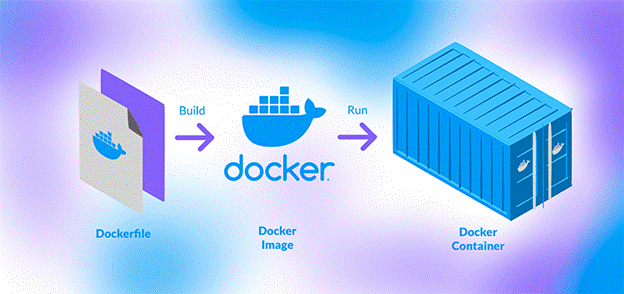
The core concept of Docker revolves around containers and images. A container is an instance of an image that can be run and stopped as needed. It is isolated from other containers and the host system, but it shares the underlying OS kernel, making it more efficient than virtual machines. A Docker image is a read-only template that includes everything needed to run an application: code, runtime, libraries, environment variables, and configuration files. Developers create images by writing Dockerfiles, which are simple scripts that define how an image is built. These images are portable and can be shared via Docker registries, such as Docker Hub, which is a cloud-based service for finding and sharing Docker images.
Docker also provides a powerful system for managing the lifecycle of containers and images. With Docker, developers can easily run multiple containers on a single machine, scale applications by deploying more containers, and manage networking between containers to enable communication. The Docker CLI (Command Line Interface) and Docker Compose tool make it easy to automate and orchestrate container deployments. Docker Compose, for example, allows users to define multi-container applications using a YAML configuration file, simplifying the setup and management of complex systems. Docker has revolutionized the way applications are developed, tested, and deployed, allowing for greater flexibility, consistency, and scalability in modern software development processes.
5.Hypervisor Technologies
Hypervisor Technologies
are the foundation of virtualization, enabling multiple virtual machines (VMs) to run on a single physical machine. A hypervisor, also known as a Virtual Machine Monitor (VMM), is software that allows the creation, management, and execution of virtual machines by abstracting the underlying hardware. Hypervisors enable virtualization by providing each VM with its own virtualized hardware, including CPU, memory, storage, and networking, without interference from other VMs running on the same host system. This technology helps businesses optimize resource usage, increase flexibility, and improve scalability in their IT infrastructure. Hypervisors come in two main types: Type 1 and Type 2, each with different architectures and use cases.
Type 1 Hypervisor (also called Bare-Metal Hypervisor) runs directly on the physical hardware of a host system. It doesn’t require a host operating system; instead, it manages the virtual machines directly. Type 1 hypervisors are more efficient and offer better performance because they eliminate the overhead of a host OS. They are commonly used in enterprise data centers and cloud environments. Examples of Type 1 hypervisors include VMware ESXi, Microsoft Hyper-V, and Xen. These hypervisors are designed to manage multiple VMs and provide features such as resource scheduling, fault tolerance, and high availability, which are critical in large-scale and production environments.
Type 2 Hypervisor (also called Hosted Hypervisor) runs on top of an existing host operating system. In this model, the hypervisor software is installed as an application on the host OS, and it relies on the host OS to access hardware resources. While Type 2 hypervisors are easier to set up and are typically used for development, testing, and desktop virtualization, they do have some overhead because they depend on the host OS. Popular examples of Type 2 hypervisors include VMware Workstation, Oracle VirtualBox, and Parallels Desktop. These are often used by developers, testers, and those needing to run multiple operating systems on a single machine for various tasks.
6.Microservices Architecture
Microservices Architecture
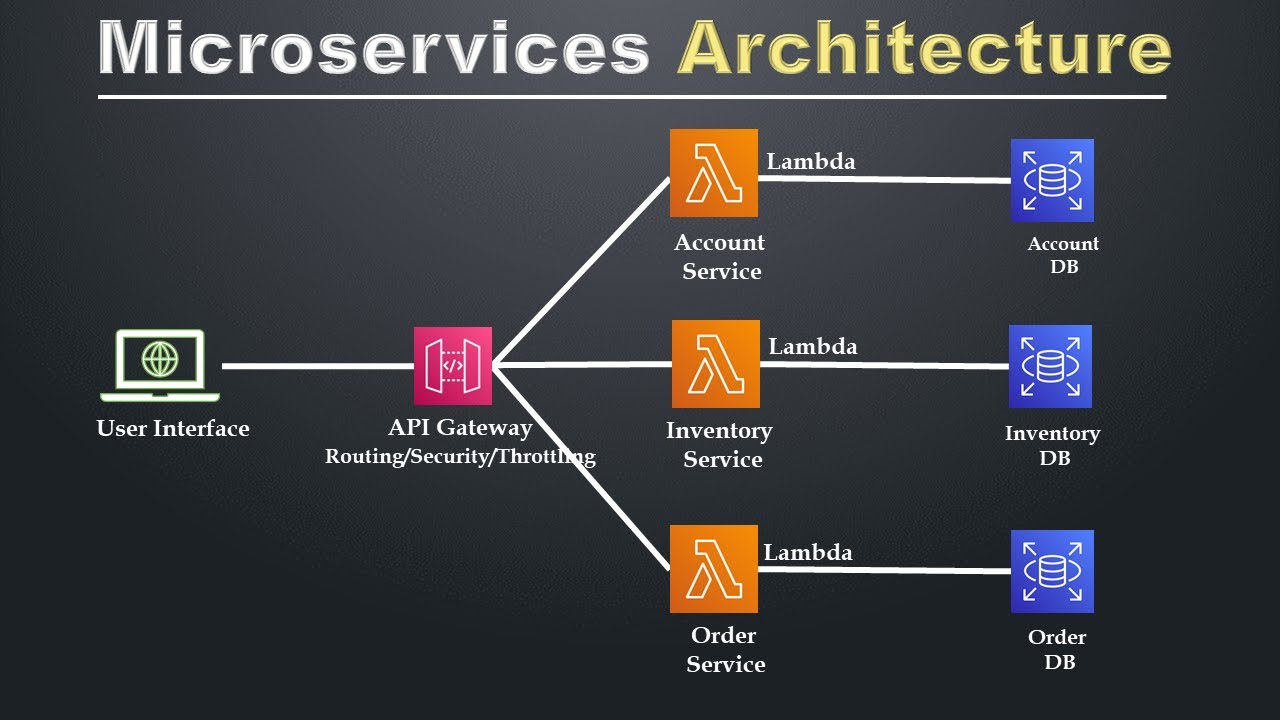
is an approach to software development where an application is structured as a collection of loosely coupled, independently deployable services, each focused on a specific business function. Unlike traditional monolithic architecture, where all components of an application are tightly integrated into a single codebase, microservices break the application down into smaller, more manageable pieces that can be developed, deployed, and scaled independently. Each microservice in this architecture is responsible for a specific task, such as handling user authentication, managing payment processing, or managing inventory, and they communicate with each other through well-defined APIs. This modular approach allows for greater flexibility, scalability, and maintainability, as changes to one service don't directly impact others.
One of the main benefits of microservices is that it allows teams to work on different services simultaneously. Since each microservice is independent, developers can use different technologies or programming languages for each one, optimizing the system according to the specific needs of each service. Microservices also enable more frequent releases and updates because each service can be updated and deployed without affecting the entire application. This is particularly useful for large applications that need to be constantly updated or iterated upon. Furthermore, microservices provide enhanced fault tolerance; if one service fails, it doesn’t bring down the entire application, as each service operates independently.
However, implementing microservices also comes with some challenges. One of the key issues is service communication. Since services are distributed, they need to communicate with each other over the network, which can introduce complexity, especially when dealing with network latency and managing service failures. Another challenge is data consistency. In a microservices architecture, each service may have its own database, leading to the issue of ensuring consistency across distributed systems. Additionally, microservices require strong DevOps practices, as deploying and managing many independent services can become complex without the right automation tools and monitoring systems. Despite these challenges, the advantages of improved scalability, flexibility, and independent service management make microservices a popular choice for modern, large-scale applications.
7. Cloud Container Security
Cloud Container Security
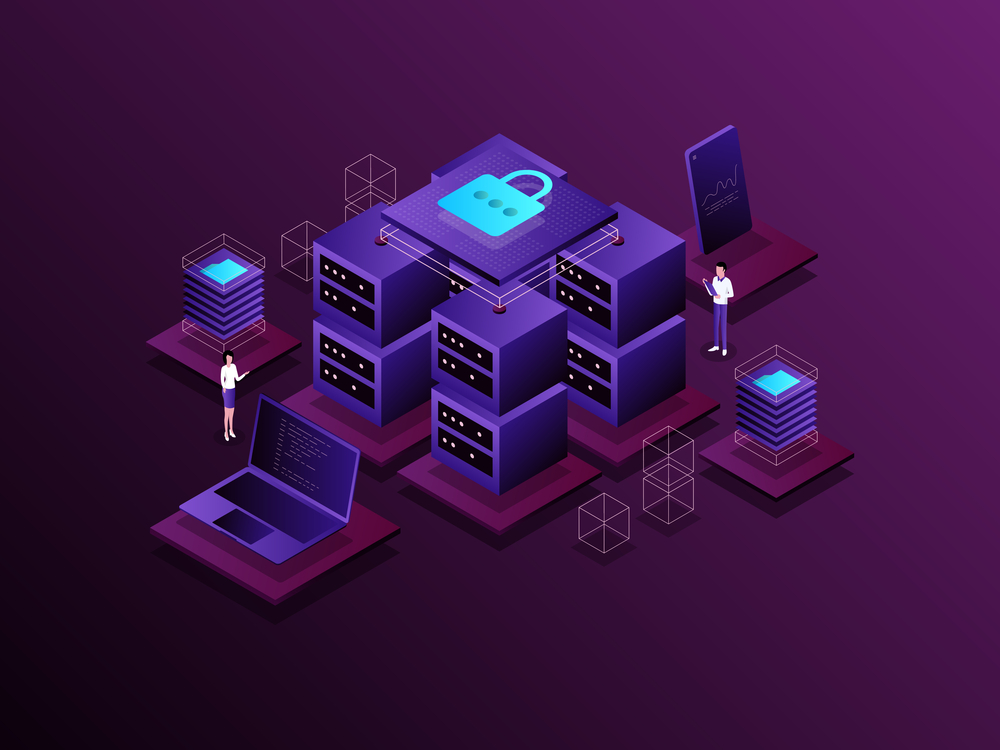
refers to the practices, tools, and technologies that ensure the safe and secure operation of containerized applications and services in cloud environments. Containers, such as Docker or Kubernetes, have become essential in modern cloud-native application development because they provide an isolated, portable environment for applications to run consistently across different platforms. However, containers also present unique security challenges, especially when deployed at scale in cloud environments. Effective cloud container security involves securing not just the container images and the containers themselves, but also the infrastructure, orchestration tools, and networking that support them.
One of the primary areas of focus in cloud container security is image security. Container images are the blueprints from which containers are created, and they typically include an application’s code, libraries, and other dependencies. If these images are not secure, they may introduce vulnerabilities into the containers themselves. Developers need to ensure that only trusted, scanned, and secure images are used. Tools like image scanning can automatically check for vulnerabilities in images before they are deployed. These tools check the code and dependencies within an image for known vulnerabilities and ensure that the image is built following best practices for security. Additionally, images should be regularly updated to patch known security flaws and reduce the risk of exploitation.
Runtime security is another critical component of cloud container security. This involves monitoring containers during their execution to detect and mitigate any potential threats, such as unauthorized access, malware, or unexpected behavior. Runtime security tools can track the behavior of containers, ensuring they don’t access or modify sensitive data or resources without proper authorization. This also includes monitoring system calls, file systems, and network traffic within the container to detect anomalies. Network security is crucial as containers often communicate with other containers and services in the cloud. Containerized applications should follow the principle of least privilege, where each container is given only the necessary permissions and access rights to perform its task. Additionally, container orchestration tools like Kubernetes provide features such as role-based access control (RBAC) and network policies that can help limit communication and ensure that containers only interact with the services they need.
8.Infrastructure as Code (IaC)
Infrastructure as Code (IaC) is a key practice in modern DevOps and cloud computing that involves managing and provisioning computing infrastructure through machine-readable definition files, rather than through manual configuration or interactive configuration tools. The core idea behind IaC is that the infrastructure, including servers, networks, storage, and other resources, is treated as software and managed using the same versioning, testing, and automation practices that are applied to application code. IaC allows teams to automate the process of setting up and configuring infrastructure, leading to faster deployment times, fewer errors, and greater consistency across environments.
IaC can be implemented using two primary approaches: Declarative and Imperative. In a declarative approach, you define the desired state of the infrastructure without specifying the exact steps to reach that state. Tools like Terraform and CloudFormation are commonly used in this approach. For example, you can specify that you want a specific version of a database, and the tool will automatically create and configure the necessary resources to meet that requirement. The system then ensures that the infrastructure matches the declared state, making any necessary changes or updates when the actual state deviates. In an imperative approach, you provide specific instructions about how the infrastructure should be configured and provisioned. This approach can give you more fine-grained control but is generally considered less flexible and harder to maintain. An example of this approach is Ansible, where you define step-by-step instructions for setting up and configuring the infrastructure.
One of the key advantages of IaC is that it makes infrastructure management repeatable and consistent. Since the infrastructure is defined in code, it can be versioned, reviewed, and tracked in the same way as application code, allowing for better collaboration and governance. Additionally, IaC reduces human error and manual intervention, as the same infrastructure can be deployed across multiple environments (e.g., development, staging, production) with little to no changes, ensuring consistency. It also supports automated testing, as infrastructure code can be tested in the same way as application code, which ensures the infrastructure works as intended before being deployed.
.jpg)
Comments